How to Get IPTV UK: The Ultimate Beginner’s Guide (2026)
How to Get IPTV UK: The Ultimate Beginner’s Guide (2026)

How to get IPTV UK households can use without a dish, an engineer or a long contract is simpler than most people expect. If you’re new to streaming TV, this guide walks you through everything: what IPTV is, what you need, how to choose the best IPTV subscription and exactly how to get started, even if you’ve never done it before.
If you’d like to compare services first, see our best IPTV subscription UK guide.
What Is IPTV? (Explained Simply)
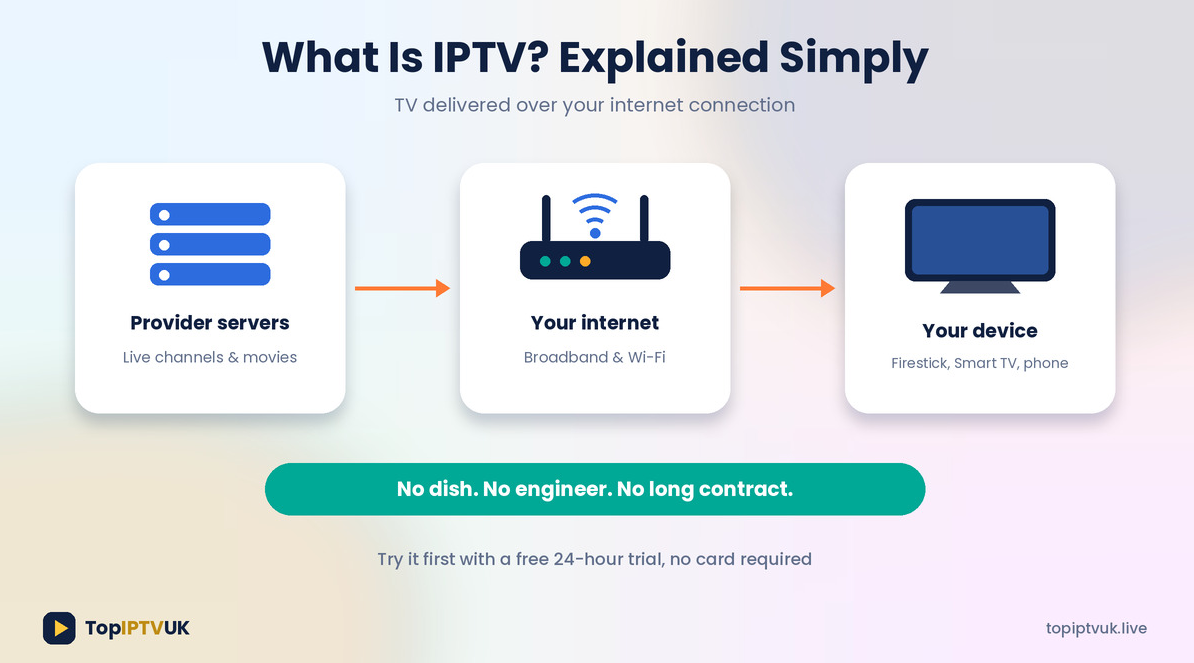
IPTV stands for Internet Protocol Television. Instead of receiving TV through a satellite dish or cable box, your channels and films arrive over your internet connection. You install an app on a device such as a Firestick, Smart TV or phone, sign in, and watch.
The journey is simple: the provider’s servers send live channels and on-demand content over the internet, your router brings it into your home, and the app on your device plays it.
With Top IPTV UK that means 25,000+ live channels from the UK and 60+ countries, plus 180,000+ movies and series on demand.
How to Get IPTV UK: 6 Simple Steps

Step 1: Check Your Internet Speed
IPTV runs on your broadband, so test it first with a free tool like Speedtest. As a guide, you need about 10 Mbps for HD and 25 Mbps or more for 4K.
Step 2: Choose Your Device
Most beginners pick one of these:
- Amazon Firestick: small, affordable and popular. See our IPTV on Firestick UK setup guide.
- Samsung or LG Smart TV: no extra hardware needed. See our IPTV for Smart TV UK guide.
- Android TV box, phone, tablet, PC or Mac: all supported too.
Check the full list on our devices page.
Step 3: Request a Free Trial
Before you pay, test it. Message us on WhatsApp for a free 24-hour trial. No card is required. Use it in the evening, try your favourite channels and check that your device works. Our IPTV free trial UK guide has a full checklist.
Step 4: Pick a Plan
Choose the tier that matches your TV and how you watch (details below). Compare them on the pricing page.
Step 5: Order on WhatsApp
Tell us your plan, subscription length (1, 3, 6 or 12 months) and number of devices (1, 2 or 3). Your login normally arrives within about 5 minutes. Full details are in how to subscribe to IPTV UK.
Step 6: Install the App and Start Watching
Install the app on your device, enter your login and start watching. Our installation guide shows each device step by step.
What You Need to Get IPTV
- A compatible device (Firestick, Smart TV, Android box, phone, PC or Mac)
- A stable internet connection (10 Mbps for HD, 25 Mbps or more for 4K)
- A login from your provider
- About 5 to 10 minutes to install the app
That’s all. There’s no dish to fit and no engineer to book.
How to Choose the Best IPTV
With many providers around, here’s what to look for when choosing the best IPTV for you:
- A free trial. If a provider won’t let you test, think twice.
- A wide channel range. Check the IPTV channels UK guide or our channel list for your favourites.
- Support you can reach. Look for real 24/7 help.
- A money-back guarantee. Top IPTV UK offers 7 days.
- Clear plans and prices. No hidden extras.
- Device compatibility. It should work wherever you watch.
- Stable streaming. Test at peak times, not just in the morning.
IPTV Subscriptions: Plans and Prices Explained
Top IPTV UK has three IPTV subscriptions to choose from:
| Plan | Price | Best for |
|---|---|---|
| Standard | from £9.99/month | HD viewing at great value |
| Advanced | from £11.99/month | Full 4K and priority servers (our most popular) |
| Premium | from £14.99/month | Ultra 4K, a dedicated server per line and VIP support |
Each plan runs for 1, 3, 6 or 12 months and can be used on 1, 2 or 3 devices. Beginners usually start with Standard or Advanced for a shorter term, then upgrade later if they want.
How Much Does It Cost to Get IPTV in the UK?
Plans start from £9.99/month. At that rate, a year costs roughly £119.88. Compare that with your current TV bill using our IPTV vs Sky guide. Always check the pricing page for the exact total for your length and devices.
What Can You Watch?
Live sport, movies, series, news, kids’ shows, documentaries, music and channels from over 60 countries, in languages including English, Urdu, Hindi, Arabic, French, Spanish and Polish. See the category breakdown in our IPTV channels UK guide.
5 Beginner Mistakes to Avoid

- Skipping the free trial. Always test on your own device first.
- Testing only once. Try a quiet daytime and a busy evening.
- Ignoring your Wi-Fi. Use a cable or the 5GHz band and test your speed. Our IPTV buffering fix guide helps.
- Buying before checking devices. Confirm your TV or Firestick is supported.
- Choosing a provider with no support. Pick one with 24/7 help and a guarantee.
Is IPTV Legal in the UK?
IPTV technology itself is legal in the UK. As with any streaming provider, it’s sensible to stay informed about the licensing of the content you choose to watch.
Beginner FAQ
What is IPTV?
Television delivered over the internet instead of through a dish or cable box.
How do I get IPTV in the UK?
Check your internet speed, choose a device, request a free trial, pick a plan, order on WhatsApp and install the app.
Is there a free trial?
Yes. A free 24-hour trial is available on WhatsApp, with no card required.
How much do IPTV subscriptions cost?
Plans start from £9.99/month (Standard), £11.99/month (Advanced) and £14.99/month (Premium).
Which device is best for beginners?
A Firestick is popular because it’s affordable and easy to set up. A Smart TV works well too if it supports the app.
How fast does setup take?
Usually about 5 minutes once you have your login.
What if I’m not happy?
There’s a 7-day money-back guarantee.
Can I get help?
Yes. Our team is on WhatsApp 24/7, or use the contact page.
Final Thoughts
Knowing how to get IPTV UK is mostly about doing things in the right order: check your internet, pick your device, test with a free trial and choose the plan that suits you. Start with the trial, and only subscribe when you’re happy.
👉 Request your free 24-hour trial on WhatsApp
Related reading:
Ready to start streaming? Get your free trial now.
📲 Free Trial on WhatsApp