Best IPTV Player UK: 5 Top Apps Compared (2026)
Best IPTV Player UK: 5 Top Apps Compared (2026)
The best IPTV player UK viewers can choose depends mostly on one thing: the device you watch on. A player that is perfect on a Firestick may not exist on a Samsung TV, and the app you pick changes how easy your evenings feel.
In this guide we compare five popular apps, explain which works on which device, and show you how to log in. When you’re ready to test one, you can claim a free 24-hour trial with no card needed.
In this guide: what a player is, a quick comparison, each app in turn, Firestick and Smart TV advice, login steps, how to choose, FAQs.
What Is an IPTV Player?
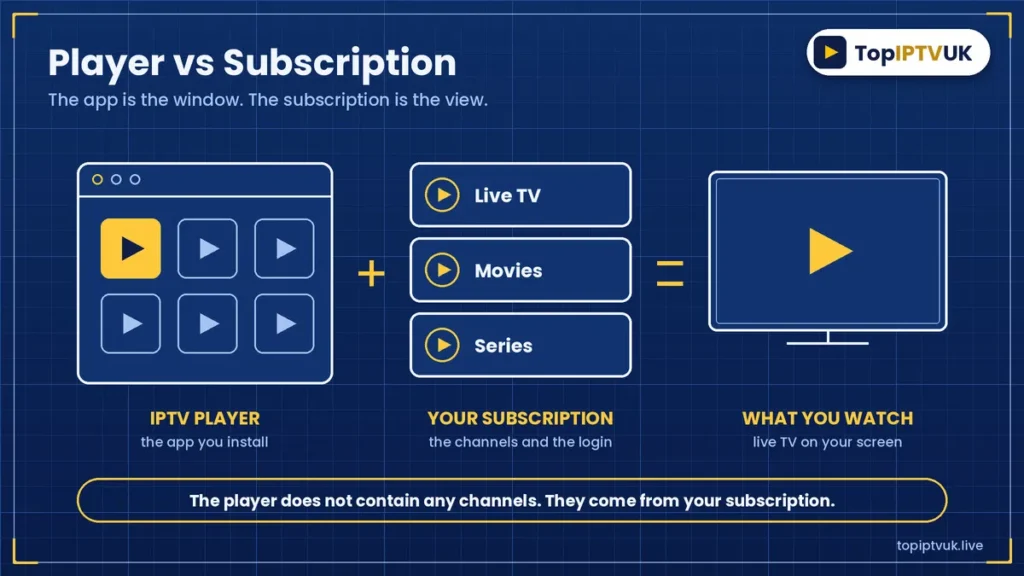
An IPTV player is simply an app. It shows live TV, movies and series on your screen, but it does not contain any channels itself.
The channels come from your IPTV subscription. The player is the window, and the subscription is the view. If you want to understand that side first, read our IPTV subscription UK guide.
Many people search for an “IPTV app UK” when they really need two things: an app and a login. Top IPTV UK sends you the login by WhatsApp, and you choose the app that suits your device.
Best IPTV Player UK: Quick Comparison
Here is how the main apps line up. This is based on the devices each one supports with our service.
| App | Works on | Best for |
|---|---|---|
| IPTV Smarters Pro | Firestick, Android, iPhone, iPad, Windows | All-round use on many devices |
| TiviMate | Android, Firestick | A TV-guide style layout |
| GSE Smart IPTV | iPhone, iPad, Android, Apple TV | Apple households |
| Smart IPTV (SIPTV) | Samsung (Tizen) and LG (webOS) TVs | Samsung and LG Smart TVs |
| IBO Player | Android boxes, Formuler, MAG | Set-top box users |
On a Mac, you can use VLC or GSE IPTV. App availability and menus can change over time, so always check the store page on your own device.
IPTV Smarters Pro: The All-Rounder
IPTV Smarters Pro is the app we mention most, because it covers so many devices. You can use it on a Firestick (installed through Downloader), on Android, on iPhone and iPad through the App Store, and on Windows.
It uses Xtream Codes login, which we explain below. On Android, availability in Google Play can vary, so check on your own device.
If you’d like the full walkthrough, see our IPTV Smarters Pro setup guide. For many households, this is the easiest answer to the best IPTV player UK question.
TiviMate: A TV-Guide Style Layout
TiviMate runs on Android and Firestick. It is known for a layout that looks like a traditional TV guide, which many viewers find familiar.
If you like browsing “what’s on now” in a grid, it is worth trying. Because you can test with our free trial, you do not have to guess whether you like it.
GSE Smart IPTV: Good for Apple Devices
GSE Smart IPTV works on iPhone, iPad, Android and Apple TV. That makes it a sensible pick if your home is full of Apple products.
On a Mac, you can use VLC or GSE IPTV. It is a handy second option if Smarters Pro does not suit you on iPhone or iPad.
Smart IPTV in UK: Samsung and LG TVs
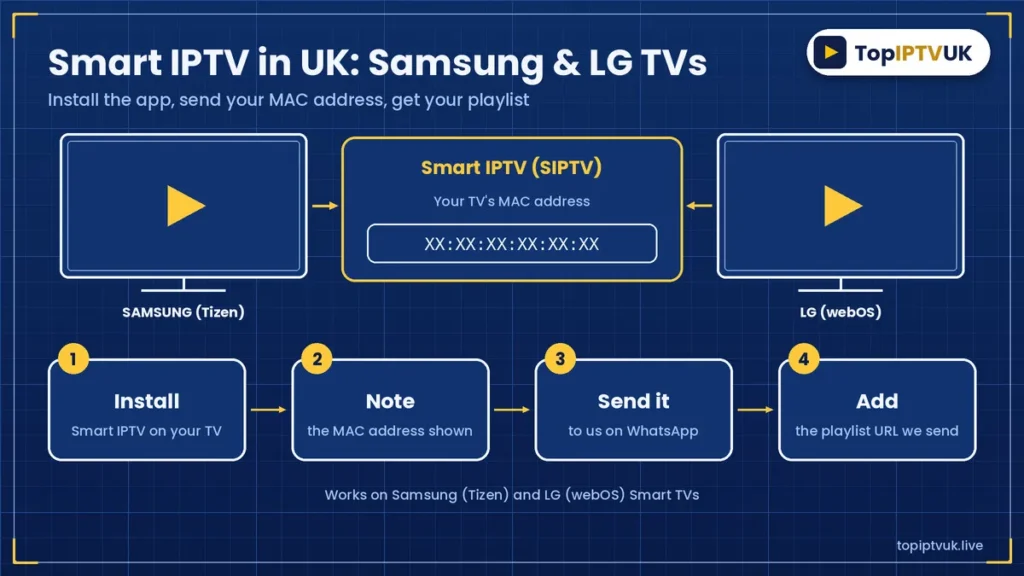
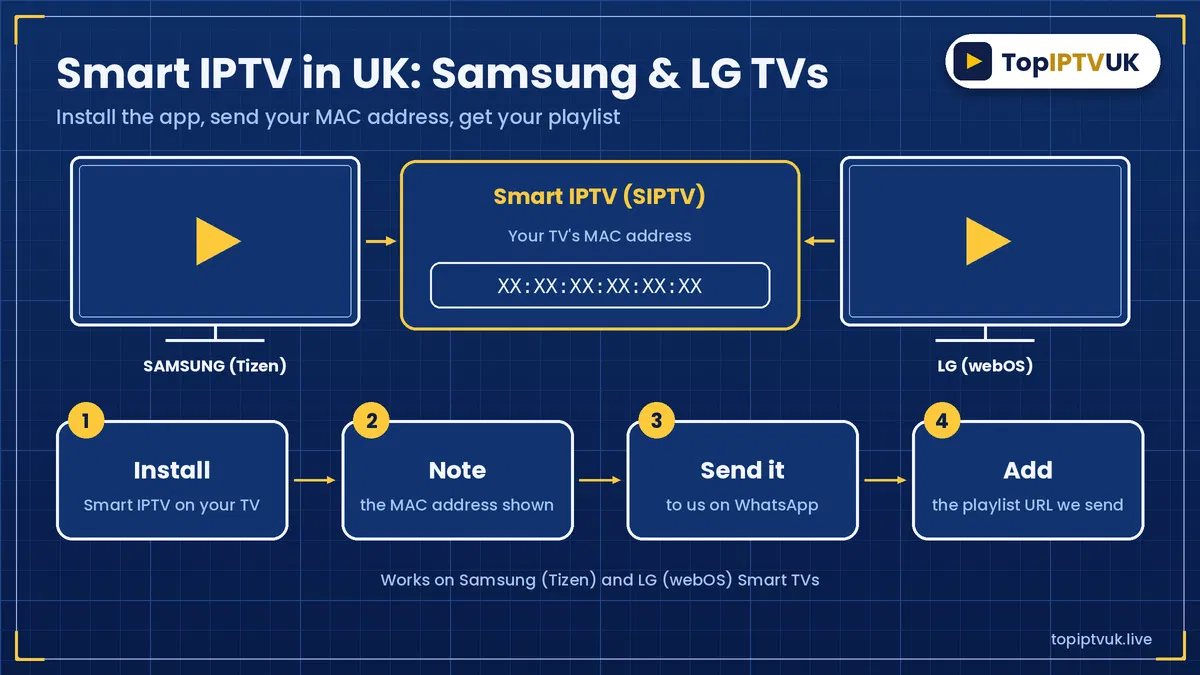
Searching for “smart IPTV in UK” usually means one of two things: IPTV on a Smart TV, or the app called Smart IPTV (SIPTV). Both lead to the same place for Samsung and LG owners.
SIPTV works on Samsung (Tizen) and LG (webOS) TVs. Here is how it works with us:
- Install Smart IPTV on your TV.
- Note the MAC address shown in the app.
- Send that MAC address to us on WhatsApp.
- We send you the M3U playlist URL to add.
For the full TV walkthrough, read our guide to IPTV for Smart TV UK (Samsung and LG).
IBO Player: For Android Boxes, Formuler and MAG
IBO Player suits Android boxes, Formuler and MAG devices. If you use a dedicated set-top box rather than a stick or a Smart TV, this is the one to look at.
Check our devices page to confirm your box is supported before you start.
Best IPTV Player for Firestick
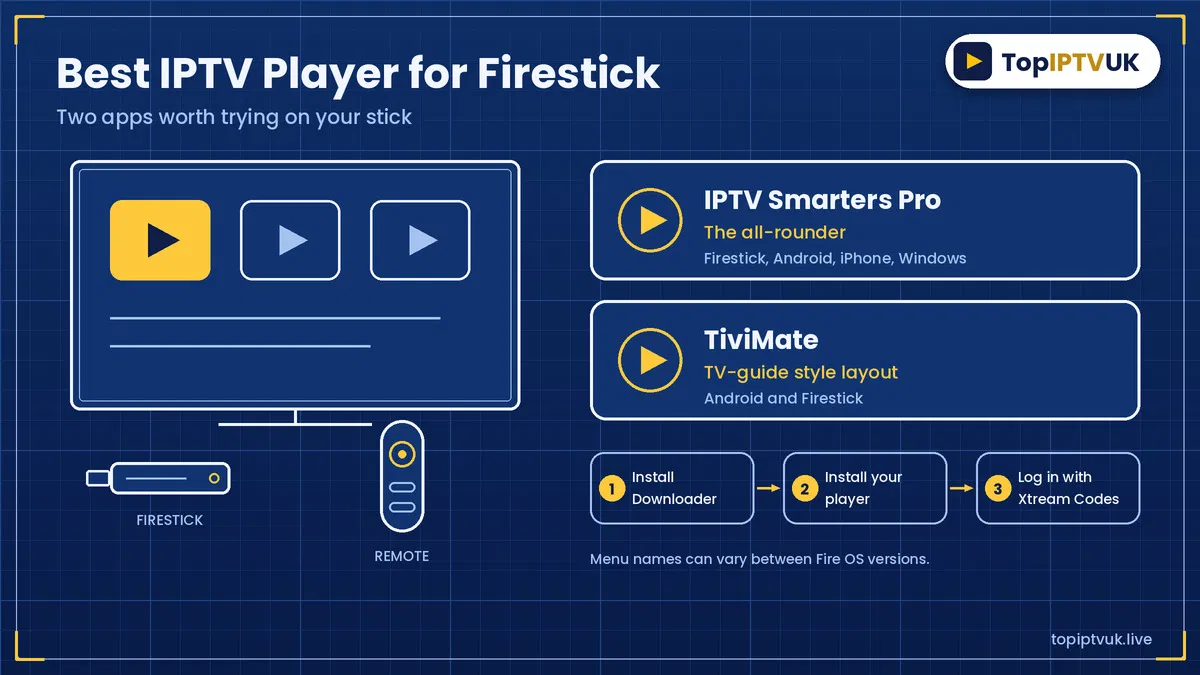
If you searched for the best IPTV player for Firestick, the two apps to try are IPTV Smarters Pro and TiviMate. Both work on a Firestick, and they feel quite different.
Smarters Pro is a straightforward all-rounder. TiviMate gives you a TV-guide style layout. You can try each during your free trial and keep the one that feels better.
Here is the basic Firestick process:
- Go to Settings > My Fire TV > Developer Options > Apps from Unknown Sources. On newer versions, look for Install unknown apps > Downloader.
- Install Downloader from the Amazon Appstore.
- Install your chosen player.
- Log in with your Xtream Codes.
If Developer Options is missing, go to Settings > My Fire TV > About and select the device name about seven times. Menu names can vary between Fire OS versions.
For the complete steps, read how to set up IPTV on Firestick UK. If you are still choosing a stick, our best IPTV for Firestick UK guide will help.
How to Log In With Xtream Codes
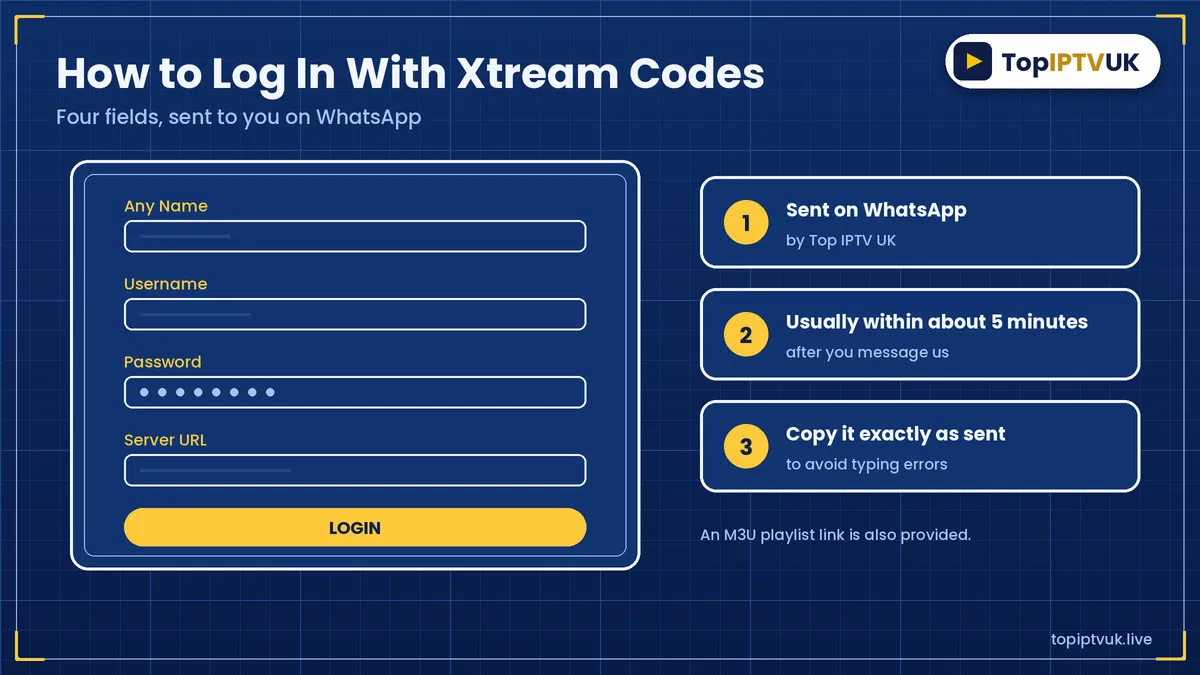
Most of these apps use the same login type, called Xtream Codes. We send it to you on WhatsApp, usually within about 5 minutes.
You will be asked for four things:
- Any Name (anything you like)
- Username
- Password
- Server URL
Copy them exactly as sent. We also provide an M3U playlist link, which some apps use instead.
Not sure how to get started with the whole process? Our how to subscribe to IPTV UK guide covers it step by step.
How to Choose the Best IPTV Player UK
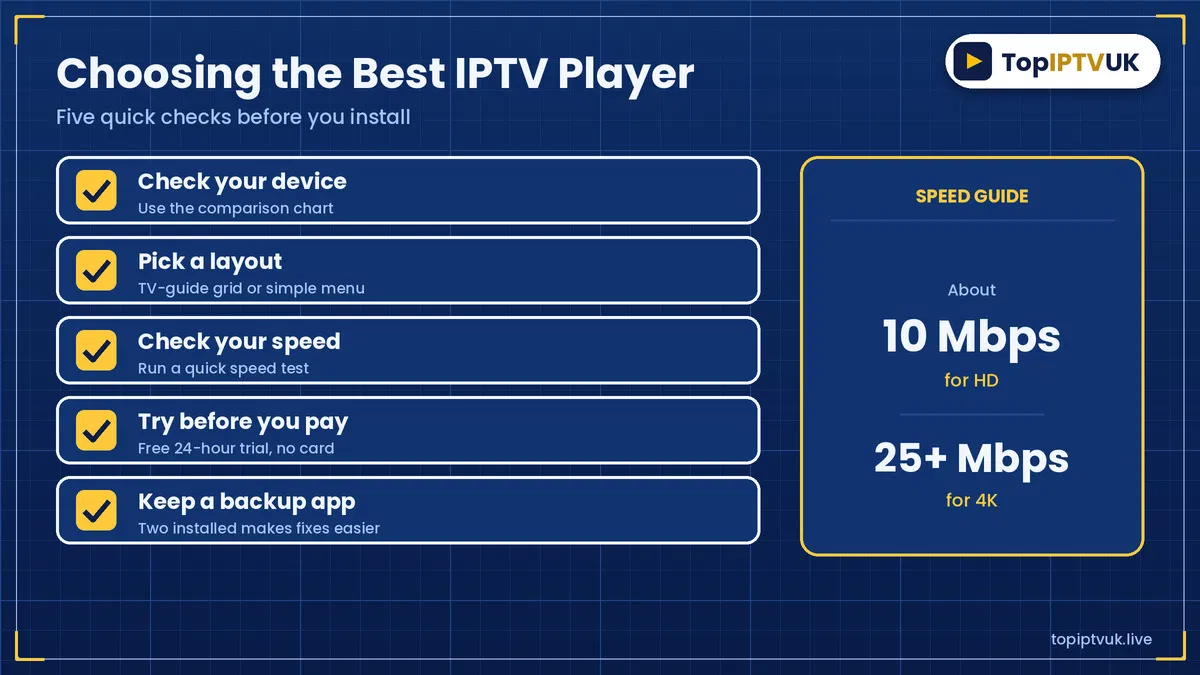
The best IPTV player UK households can pick is the one that fits their device and feels comfortable to use. Work through this short list:
- Check your device. Use the table above to see which apps run on it.
- Think about layout. Prefer a TV-guide grid, or a simple menu?
- Check your speed. You need about 10 Mbps for HD and 25 Mbps or more for 4K. Test it at Speedtest.
- Try before you pay. Use the free trial to test the app with real channels.
- Keep a backup. Having two apps installed makes troubleshooting easier.
Your player also depends on a steady connection. If streams stutter, work through our IPTV buffering fix guide before blaming the app.
Does the Player Change What You Can Watch?
No. The player changes how you browse and watch, not what is available. The content comes from your subscription.
Across the service, Top IPTV UK offers 25,000+ live channels from 60+ countries, 3,500+ UK channels and 180,000+ movies and series. You can see the categories on our channels page.
Our plans are Standard (HD), Advanced (4K) and Premium (Ultra 4K). The level you choose affects picture quality, while the app affects the experience of using it.
Plans and Prices for Your New Player
Whichever player you pick, you need a plan. These are our 1-device prices:
| Plan | 1 month | 12 months |
|---|---|---|
| Standard (HD) | £9.99 | £59.99 |
| Advanced (4K) | £11.99 | £69.99 |
| Premium (Ultra 4K) | £14.99 | £89.99 |
A 12-month plan works out at about half the cost of paying monthly. Plans for 2 or 3 devices are on our pricing page. For more detail, see IPTV price UK and IPTV packages UK.
If you’re still comparing providers, our best IPTV subscription UK guide is a good next read.
Try Your Player Free for 24 Hours
The simplest way to find the best IPTV player UK viewers will actually enjoy is to try it yourself. Our free trial lasts 24 hours and needs no card.
Message us on WhatsApp, tell us your device, and we’ll send your login. Try it in the evening too, when streaming is busiest. Read more in our IPTV free trial UK guide.
If you subscribe, there is a 7-day money-back guarantee, and support is available 24/7 on WhatsApp.
Frequently Asked Questions
What is the best IPTV player UK viewers use?
There is no single winner. IPTV Smarters Pro suits many devices, TiviMate suits a TV-guide layout, and SIPTV suits Samsung and LG TVs.
What is the best IPTV player for Firestick?
IPTV Smarters Pro and TiviMate both work on Firestick. Try both during the free trial and keep the one you prefer.
What is the best IPTV player for Firestick 2026?
The same two apps are the usual starting points. App versions and menus change, so check the latest installation steps in our Firestick guide.
What is Smart IPTV in UK homes used for?
It is an app for Samsung and LG Smart TVs. You send us your TV’s MAC address on WhatsApp, and we send the playlist URL.
Which IPTV app UK users should choose for iPhone?
IPTV Smarters Pro (App Store) and GSE Smart IPTV both work on iPhone and iPad.
Do I need a different player for each device?
Not always. Smarters Pro runs on several devices, but Samsung and LG TVs use Smart IPTV, and set-top boxes often use IBO Player.
Does the player affect picture quality?
Picture quality mainly depends on your plan and internet speed. You need about 10 Mbps for HD and 25 Mbps or more for 4K.
Is the IPTV player free?
We don’t set the price of third-party apps, so check the app’s own store page. Your Top IPTV UK subscription is separate.
Can I use two apps with one login?
Many people keep a backup app installed, but your plan limits the number of devices (1, 2 or 3).
What if my player won’t log in?
Re-check the Xtream Codes for typing errors, then message us on WhatsApp. We’ll help you step by step.
Legal Note
IPTV technology itself is legal in the UK. As with any streaming provider, it’s sensible to stay informed about the licensing of the content you choose to watch.
Final Thoughts
The best IPTV player UK homes can use is the one that suits your device and your habits. Start with the table, pick one or two apps, and test them with real channels.
Ready to try? Message us on WhatsApp for your free 24-hour trial. You can also read our setup guide or check the rules and advice at Ofcom.
Related Reading
Ready to start streaming? Get your free trial now.
📲 Free Trial on WhatsApp